方形裁剪工具
将任何图片裁剪成完美的方形,支持手动调整位置、大小和旋转角度
精确调整
支持手动调整裁剪位置、大小和旋转角度,获得完美的方形效果
高质量下载
保持原图质量,支持PNG格式高清下载
完美方形
智能算法确保裁剪出完美的正方形,边缘清晰锐利
原始图片
拖拽图片到此处或点击上传
支持 JPG、PNG、GIF 等格式
裁剪结果
裁剪后的方形图片将在这里显示
上传图片后会自动生成预览
使用说明
操作步骤
- 上传或拖拽图片到上传区域
- 调整裁剪大小、位置、旋转角度和缩放比例
- 点击"生成方形裁剪"按钮
- 预览结果并下载方形图片
应用场景
- Instagram 和微信朋友圈图片
- 产品展示图片制作
- 网站缩略图统一格式
- 电商商品主图优化
- 设计素材标准化
使用案例

社交媒体发布
为 Instagram、微信朋友圈等平台制作符合要求的方形图片
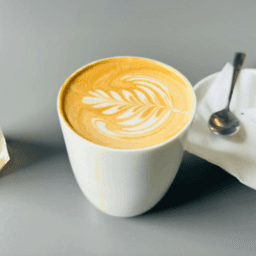
电商商品图
统一商品展示图片格式,提升店铺专业形象

网站缩略图
为博客、新闻网站制作统一规格的文章缩略图
技术特点
高级功能
- 支持实时预览调整效果
- 保持原图最高质量输出
- 支持多种图片格式输入
- 智能居中对齐算法
- 响应式设计,支持移动端
输出规格
- 支持 200px 到 800px 任意尺寸
- PNG 格式高质量输出
- 支持透明背景保留
- 精确的像素级裁剪
- 批量处理友好设计
Practical guide
Square crop workflow guide
Use square crop when a platform, storefront, or gallery expects a 1:1 image. Square crops are useful for product grids, thumbnails, social posts, and image sets that should line up cleanly.
Best uses
- Catalog thumbnails where mixed aspect ratios make the grid uneven.
- Social media posts and previews that favor a centered 1:1 frame.
- Reusable image sets for cards, galleries, and profile layouts.
Recommended workflow
- 1Center the most important subject before exporting.
- 2Use consistent margins when preparing multiple images for the same page.
- 3Avoid cutting off labels, text, shadows, or product edges.
- 4Compress the final square image if upload speed or file size matters.
Privacy and processing notes
- A square crop is not always the same as resizing; crop first, then resize or compress if needed.
- Images with enough empty space around the subject usually produce better square thumbnails.
- Keep a copy of the original file in case you need another aspect ratio later.
Common mistakes to avoid
- Letting the default center crop remove important details near the sides.
- Preparing every product with different margins, which makes grids look uneven.
- Exporting before checking the preview at the size where users will actually see it.