正方形クロップツール
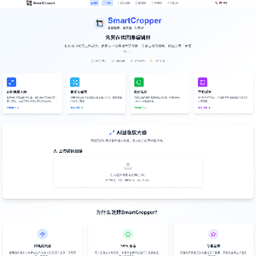
任意の画像を完璧な正方形にクロップ、手動での位置、サイズ、回転角度の調整をサポート
精密調整
クロップ位置、サイズ、回転角度の手動調整をサポートし、完璧な正方形効果を実現
高品質ダウンロード
元画像の品質を保持し、PNG形式高解像度ダウンロードをサポート
完璧な正方形
スマートアルゴリズムで完璧な正方形クロップを保証、エッジが鮮明でシャープ
元画像
画像をここにドラッグまたはクリックしてアップロード
JPG、PNG、GIF形式をサポート
クロップ結果
クロップされた正方形画像がここに表示されます
アップロード後に自動でプレビューを生成
使用ガイド
操作手順
- アップロードエリアに画像をアップロードまたはドラッグ&ドロップ
- クロップサイズ、位置、回転角度、スケール比を調整
- 「正方形クロップを生成」ボタンをクリック
- 結果をプレビューして正方形画像をダウンロード
応用シナリオ
- InstagramとWeChat Momentsの画像
- 商品展示画像作成
- ウェブサイトサムネイル統一フォーマット
- Eコマース商品メイン画像最適化
- デザイン素材標準化
使用例

ソーシャルメディア投稿
Instagram、WeChat Momentsなどのプラットフォーム要件に合った正方形画像を作成

Eコマース商品画像
商品展示画像のフォーマットを統一し、ストアの専門的イメージを向上
ウェブサイトサムネイル
ブログ、ニュースサイト用の統一規格記事サムネイルを作成
技術的特徴
高度機能
- リアルタイムプレビュー調整効果をサポート
- 元画像の最高品質出力を保持
- 複数画像形式入力をサポート
- スマート中央揃えアルゴリズム
- レスポンシブデザイン、モバイル対応
出力仕様
- 200pxから800pxの任意サイズをサポート
- PNG形式高品質出力
- 透明背景保持をサポート
- 正確なピクセルレベルクロップ
- バッチ処理フレンドリー設計
Practical guide
Square crop workflow guide
Use square crop when a platform, storefront, or gallery expects a 1:1 image. Square crops are useful for product grids, thumbnails, social posts, and image sets that should line up cleanly.
Best uses
- Catalog thumbnails where mixed aspect ratios make the grid uneven.
- Social media posts and previews that favor a centered 1:1 frame.
- Reusable image sets for cards, galleries, and profile layouts.
Recommended workflow
- 1Center the most important subject before exporting.
- 2Use consistent margins when preparing multiple images for the same page.
- 3Avoid cutting off labels, text, shadows, or product edges.
- 4Compress the final square image if upload speed or file size matters.
Privacy and processing notes
- A square crop is not always the same as resizing; crop first, then resize or compress if needed.
- Images with enough empty space around the subject usually produce better square thumbnails.
- Keep a copy of the original file in case you need another aspect ratio later.
Common mistakes to avoid
- Letting the default center crop remove important details near the sides.
- Preparing every product with different margins, which makes grids look uneven.
- Exporting before checking the preview at the size where users will actually see it.